Create, Inspect, Edit (2026)
Designing the first end-to-end workflow for the AI model listings clients discover and rent

I designed the platform’s first end-to-end workflow for creating and managing the AI models offered to clients through the Model Catalog.
Role
Product Designer
Workflow design and information architecture
AI-assisted prototyping and interaction design
Technical dependency mapping
Figma specification and engineering handoff
Team
PD supervisor, 2 product managers
Duration
Jun–Jul 2026
Context
A model catalog existed, but there was no workflow for creating or editing its listings.
Although the initial brief called for a separate Inference page (a separate page to create, edit, and monitor inference tasks), its deployment configuration overlapped with the existing Model Catalog. The challenge became unifying both responsibilities into one superadmin lifecycle while making complex technical constraints understandable without limiting specialist control.
How could complex model deployment become usable without hiding how the system works?

Approach
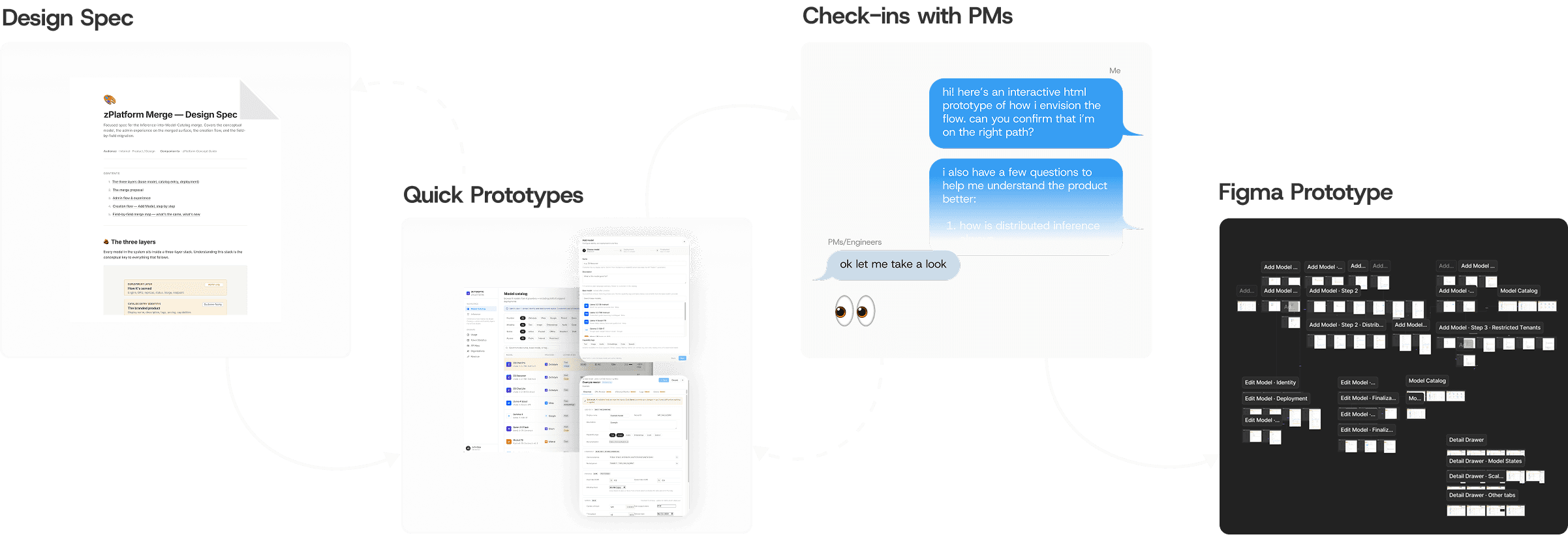
Using tangible prototypes to uncover the system logic
With limited specifications and an unfamiliar technical domain, I used AI-assisted prototypes to make the workflow tangible early. PM and engineering feedback helped clarify the required fields, dependencies and states, which I then refined in Figma using the existing design system. Engineering validated the final technical behaviour, while annotations and a journey map supported handoff.
Outcome
A unified Model Catalog lifecycle that turns complex deployment configurations into listings clients can discover and rent
The final design brings three core actions into one lifecycle:
Create — configure a listing in three focused stages, then publish it or save it as a draft.
Inspect — review its key listing, deployment and operational details at a glance.
Edit — update its details and configuration using the same familiar three-stage structure.

Creation Flow
Grouping technically dense inputs into three thematic stages
Rather than exposing every field at once, I grouped related inputs into manageable sections:
Choose model —
Select a base model and define the listing name, description and capabilities. Existing model information is prefilled where available.
Deployment —
Choose GPU resources and configure nodes, CPU, memory, engine, scaling, behaviour defaults and advanced settings.
Finalisation —
Set pricing, public or restricted access and an optional documentation link, then publish or save as a draft.

Creation Flow
Key Decision 1/4
Error-resistant configuration
Prime the setup to avoid errors later
PROBLEM
An inference task has many interdependent inputs. Incompatible model, GPU, node and scaling choices can create errors that only surface later in setup or deployment.
DESIGN RESPONSE
The interface automatically calculates compatibility, recommends viable model–GPU pairings and prevents configurations that exceed available capacity.
IMPACT
Superadmins do not need to research or calculate optimal pairings themselves. The configuration starts from a viable foundation rather than allowing avoidable errors to propagate.

Creation Flow
Key Decision 2/4
Safeguards without babysitting expert users
PROBLEM
Not every risk should block a specialist user, but impossible configurations still need to be prevented.
DESIGN RESPONSE
The interface blocks impossible configurations, warns users about potential consequences and keeps informed choices available.
IMPACT
Technical operators retain control without losing the system’s reasoning. Hard constraints stop invalid setup, while softer trade-offs remain visible and actionable.


Management Flow
Detail Drawer: a concise operational summary before deeper changes
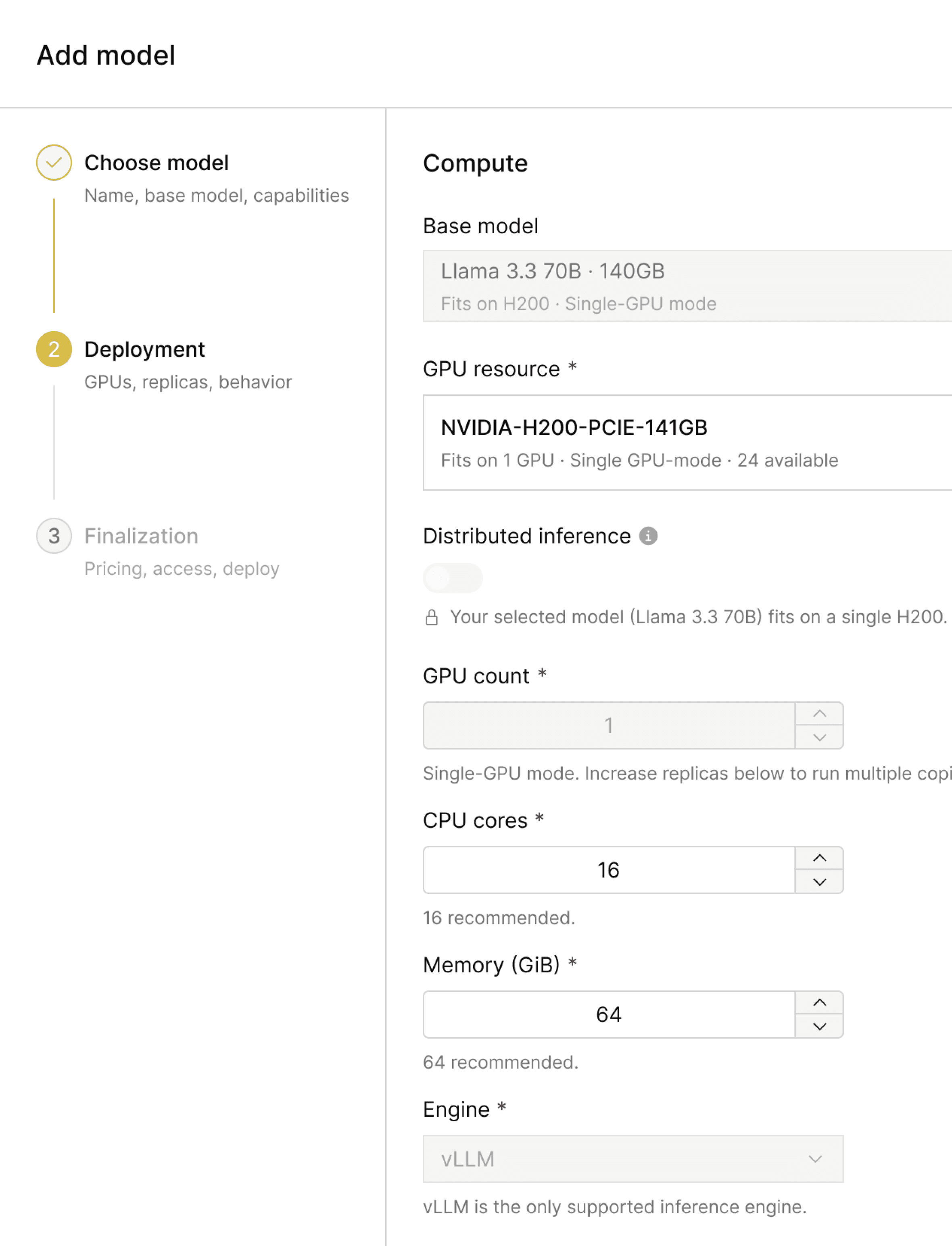
The Detail Drawer gives superadmins enough context to understand the model’s current state and configuration at a glance. It surfaces identity, endpoint, pricing, access and a condensed deployment summary, with monitoring, logs and events available in adjacent tabs.
Edit Flow: direct, recognisable and easy to review
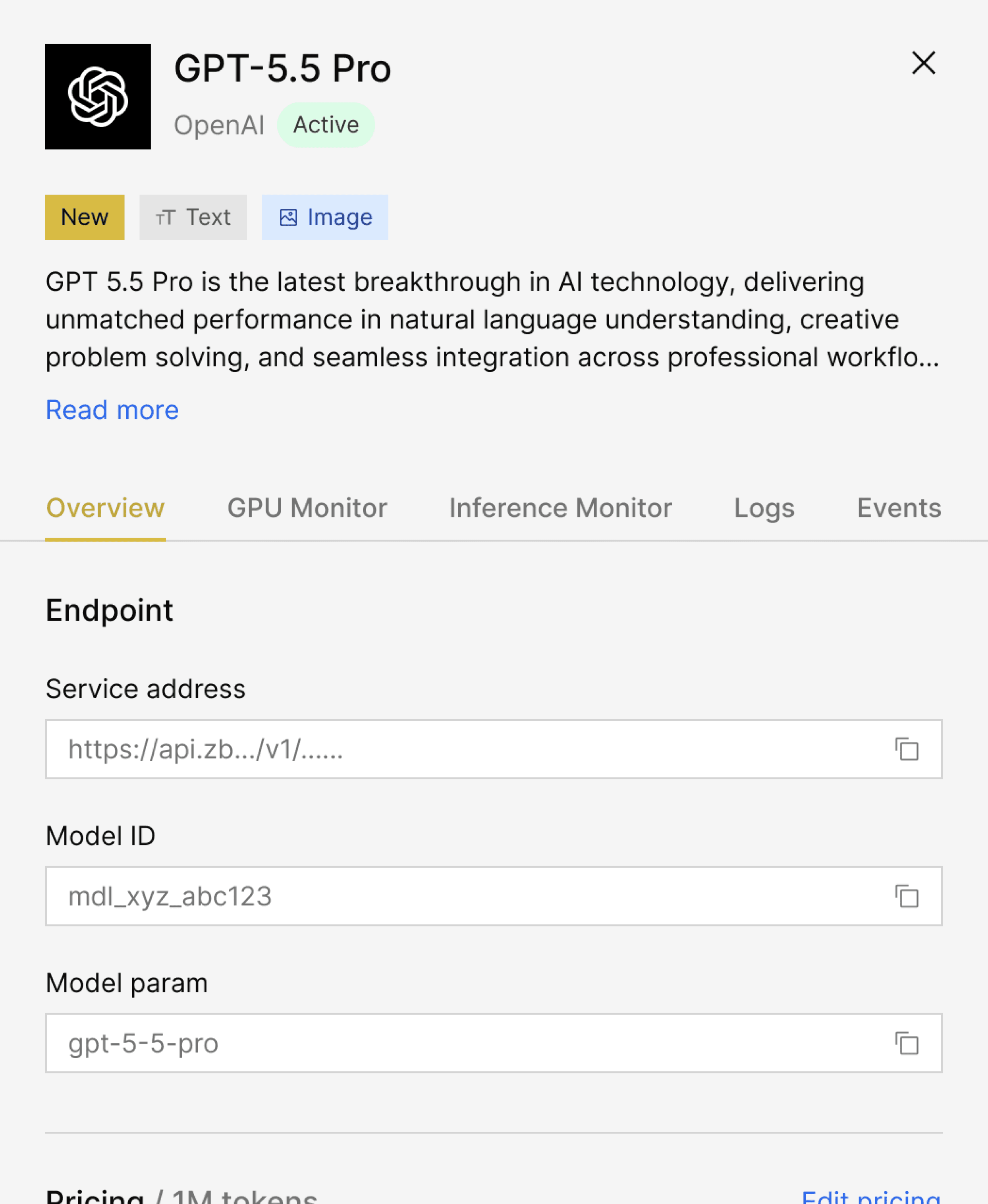
Edit Mode reuses Creation’s three stages and field order, making settings easier to find, and reducing relearning. Edited fields are marked with a pale-yellow fill, while the section sidebar counts the edits made in each area. Deployment downtime remains visible through a non-blocking warning.

Editing Flow
Key Decision 3/4
Reuse the three-stage workflow across Creation and Editing
Prime the setup to avoid errors later
PROBLEM
A single scrollable edit modal would separate editing from the structure users had already learned during creation. A completely new flow would also increase engineering effort under a tight deadline.
DESIGN RESPONSE
Creation and Editing use the same three stages and field order, with fields grouped into smaller sections and changes highlighted and counted within each stage.
IMPACT
The shared structure makes settings recognisable for users and allows engineering to reuse an established interface pattern in a fast-paced delivery environment.

Detail Drawer
Key Decision 4/4
Make the Detail Drawer a summary, not a duplicate editor
PROBLEM
The complete model configuration contains too much technical detail for routine inspection.
DESIGN RESPONSE
The Detail Drawer surfaces the information needed to understand and manage the model, while detailed specifications, behaviour defaults and advanced settings remain in Edit Mode.
IMPACT
Superadmins can assess the model quickly and only enter the full editing workflow when deeper configuration is relevant.
Compute and scaling are condensed into summaries in the drawer. Low-frequency specifications, behaviour defaults and advanced controls stay in Edit Mode, while operational monitoring remains accessible through adjacent tabs.


Reflections 🤔
A Prototype Can Be a Question, Not An Answer
When specifications and stakeholder attention are limited, a concrete prototype gives people something specific to correct. This made short conversations with PMs supporting multiple teams more focused and productive.
Uncover the system logic before designing the flow
The interface could only become clear once the dependencies between models, GPUs, nodes, scaling and capacity were understood. Mapping those relationships earlier would have reduced rework in the first prototype.
Reuse to balance ideal design with implementation efficiency
The shared Creation and Edit structure was not only an engineering-efficiency choice. Familiar stages and field order also made settings easier for users to find and review.